
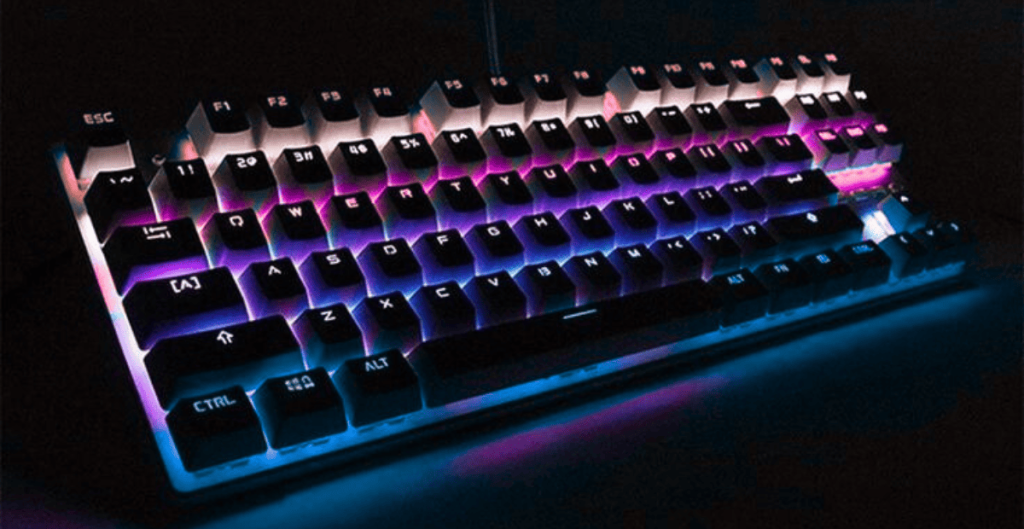
The Logitech MX Keys Ultra is designed for people who spend long hours typing, switching between devices, and demanding precision from their workspace tools. This keyboard isn’t about flashy RGB or gaming aesthetics. Instead, it focuses on comfort, accuracy, and a refined typing experience that feels effortless from the first keystroke.
Whether you’re a writer, programmer, designer, or remote professional, this keyboard aims to disappear under your fingers — in the best way possible.
Table of Contents
What Makes Logitech MX Keys Ultra Different?
At first glance, the Logitech MX Keys Ultra looks minimal. But once you start using it, the attention to detail becomes obvious.
This keyboard is built for productivity-first users who value quiet typing, smart features, and seamless device switching.
Key highlights include:
- Smart backlighting
- Low-profile scissor keys
- Multi-device connectivity
- Solid aluminum build
It’s not trying to impress gamers. It’s trying to help you work better — and it succeeds.
Design and Build Quality
Minimal, Clean, and Professional
The Logitech MX Keys Ultra features a slim aluminum top plate that gives it a premium feel without adding unnecessary weight. It sits firmly on the desk and doesn’t slide around, even during long typing sessions.
The low-profile design keeps your wrists in a natural position, reducing strain over time.
Smart Backlit Keys
The keyboard uses proximity sensors to light up the keys the moment your hands approach. The backlight automatically adjusts based on room lighting, which feels surprisingly natural in daily use.
This is one of those features you don’t think about — until you use a keyboard without it.

Typing Experience: Quiet, Precise, and Comfortable
Typing on the Logitech MX Keys Ultra feels controlled and confident.
Each key has a slight spherical indentation that guides your fingers into place. This reduces typing errors and makes long writing sessions noticeably less tiring.
Why Typing Feels Better
- Short key travel with soft feedback
- Almost silent keystrokes
- Consistent pressure across keys
For writers and coders, this keyboard feels like it’s working with you, not against you.
Multi-Device and Cross-Platform Support
One of the strongest features of the Logitech MX Keys Ultra is how effortlessly it handles multiple devices.
You can connect:
- One Windows PC
- One macOS device
- One tablet or phone
Switching between them is instant using the dedicated Easy-Switch keys.
Perfect for Hybrid Workflows
If you use a laptop, desktop, and tablet daily, this keyboard saves time in ways that add up fast.
No reconnecting. No lag. Just press and go.
Battery Life and Charging
Battery anxiety is not a thing here.
The Logitech MX Keys Ultra can last:
- Up to 10 days with backlighting
- Several months with backlighting off
Charging is done via USB-C, and even a short charge can last days. You can also use the keyboard while it’s charging.
Software and Customization
Using Logitech Options+, you can customize:
- Function keys
- App-specific shortcuts
- Backlight behavior
The software is clean, stable, and genuinely useful — not bloated.
For example, you can set custom shortcuts for:
- Photoshop
- VS Code
- Excel
- Browsers
This makes the keyboard feel personal, not generic.
Real-World Performance
In daily use, the Logitech MX Keys Ultra shines most during long, focused work sessions.
You notice:
- Fewer typing mistakes
- Less finger fatigue
- Faster workflow transitions
It’s the kind of keyboard that improves productivity quietly, without demanding attention.
Pros and Cons
Pros
- Excellent typing comfort
- Premium build quality
- Smart backlighting
- Seamless multi-device switching
- Long battery life
Cons
- Not designed for gaming
- No mechanical key feel
- Premium price tag
Who Should Buy Logitech MX Keys Ultra?
This keyboard is ideal for:
- Writers and content creators
- Programmers and developers
- Office professionals
- Remote and hybrid workers
If your day revolves around typing, switching devices, and staying focused, this keyboard is worth the investment.
Final Verdict
The Logitech MX Keys Ultra isn’t trying to be everything. It focuses on doing one thing exceptionally well: delivering a refined, distraction-free typing experience.
It’s quiet, smart, reliable, and thoughtfully designed. While it may not appeal to gamers or RGB lovers, for productivity-driven users, it’s one of the best keyboards you can buy today.
Sometimes, the best tools are the ones you stop noticing — because they just work.
FAQs – Logitech MX Keys Ultra
Is Logitech MX Keys Ultra good for typing?
Yes, it’s excellent for long typing sessions thanks to quiet keys and ergonomic design.
Is Logitech MX Keys Ultra mechanical?
No, it uses low-profile scissor switches, not mechanical switches.
Can I connect Logitech MX Keys Ultra to multiple devices?
Yes, it supports up to three devices with instant switching.
Does it work with macOS and Windows?
Yes, it’s fully compatible with Windows, macOS, Linux, iOS, and Android.