
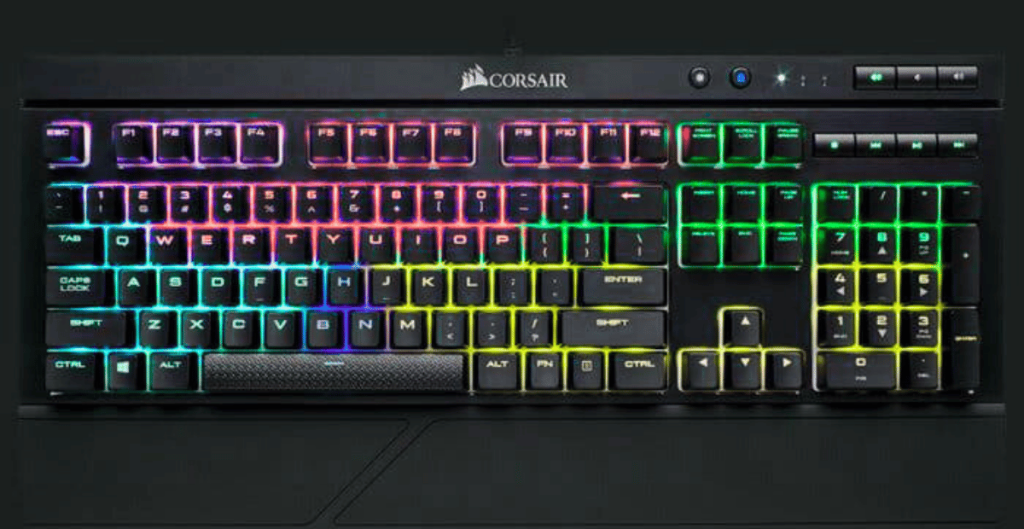
The Corsair K70 RGB TKL is built for gamers who want pure performance without distractions. No number pad, no wireless gimmicks—just fast switches, premium build quality, and tournament-ready features.
But with many TKL keyboards on the market, the real question is:
Is the Corsair K70 RGB TKL actually worth buying, or is it just hype?
Let’s break it down honestly.
Table of Contents
What Is the Corsair K70 RGB TKL?
The Corsair K70 RGB TKL is a tenkeyless (TKL) mechanical gaming keyboard designed mainly for competitive and esports gamers. By removing the number pad, it gives you more desk space and better mouse movement—something FPS and esports players love.
Corsair focuses heavily on:
- Speed
- Accuracy
- Durability
- Tournament compliance
This keyboard is not for casual users—it’s built for serious gaming.

Key Features of Corsair K70 RGB TKL
Tournament-Grade Mechanical Switches
The K70 RGB TKL comes with Cherry MX Speed or Cherry MX Red switches, depending on the variant.
- Extremely fast actuation
- Smooth keystrokes
- Ideal for FPS and competitive games
If reaction time matters to you, this keyboard delivers.
Tournament Mode Switch
One standout feature is Tournament Mode, which:
- Disables macros
- Locks RGB lighting to static color
- Ensures fair play in competitions
This is a big plus for esports players.
Per-Key RGB Lighting
Corsair’s RGB lighting is among the best:
- Bright and vibrant
- Fully customizable via iCUE software
- Per-key RGB control
Even though it’s competition-focused, it still looks amazing on your desk.
Premium Aluminum Build
The keyboard uses a brushed aluminum top plate, making it:
- Extremely durable
- Solid with zero flex
- Premium in hand feel
This thing is built to last.
Real-World Gaming Experience
In actual gameplay, the Corsair K70 RGB TKL feels incredibly responsive. Keystrokes register instantly, and the compact layout improves mouse movement—especially noticeable in FPS games like Valorant, CS2, and Call of Duty.
The stabilizers are smooth, and there’s minimal wobble. If you play competitively, this keyboard gives you confidence during intense moments.
Corsair K70 RGB TKL Compatibility
The keyboard works seamlessly with:
- Windows PCs
- macOS (limited iCUE functionality)
However:
- ❌ Not ideal for consoles
- ❌ No wireless or Bluetooth support
This is a wired, performance-first keyboard.
Pros and Cons of Corsair K70 RGB TKL
✅ Pros
- Extremely fast mechanical switches
- Tournament Mode for esports
- Excellent build quality
- Best-in-class RGB lighting
- Compact TKL design
❌ Cons
- Expensive for a TKL keyboard
- No wireless option
- Limited use for productivity tasks
- Software can feel heavy for casual users
Corsair K70 RGB TKL vs Competitors
Corsair K70 RGB TKL vs Logitech G Pro X
- Corsair: Better build, fixed switches
- Logitech: Hot-swappable switches
Corsair K70 RGB TKL vs SteelSeries Apex Pro TKL
- Apex Pro: Adjustable actuation
- Corsair: Better tournament features
Verdict:
If you want pure esports focus, Corsair K70 RGB TKL wins.
Is Corsair K70 RGB TKL Worth the Price?
The Corsair K70 RGB TKL is not cheap, but it’s worth it if:
- You play competitive games
- You want zero latency
- You prefer wired reliability
- You value build quality
Skip it if:
- You want wireless
- You need productivity features
- You’re on a tight budget
Who Should Buy Corsair K70 RGB TKL?
✔️ Competitive gamers
✔️ FPS & esports players
✔️ Streamers
✔️ Users who want a no-nonsense gaming keyboard
❌ Office workers
❌ Casual users
❌ Mac-only users
Final Verdict: Should You Buy Corsair K70 RGB TKL?
If your goal is performance over aesthetics, the Corsair K70 RGB TKL is one of the best tournament keyboards available today. It’s fast, durable, and purpose-built for serious gamers.
For casual or mixed-use users, there are better value options—but for competitive gaming, this keyboard is a beast.
FAQs
Is Corsair K70 RGB TKL good for FPS games?
Yes, it’s excellent for FPS and competitive gaming.
Does it support wireless or Bluetooth?
No, it’s wired only.
Is Corsair K70 RGB TKL good for typing?
Decent, but it’s optimized for gaming, not long typing sessions.
Can I use it on Mac?
Yes, but iCUE features are limited.
Is it worth the price?
For esports players—yes. For casual users—